
This page explains how users in Kenya can access 888Starz on a smartphone. Android users can install the mobile app from an APK file, while iPhone users can use the mobile website through a browser. Both options provide access to sports betting, live events and casino games.

The sections below cover installation, iPhone access, login, updates and common APK issues. Use a stable connection and download installation files only from a source you trust.
888Starz App for Mobile Users in Kenya
The mobile application lets you check markets, follow live betting, place bets and manage your account from a smaller screen. It may also provide access to available casino games and account functions, including payment options shown in your account.
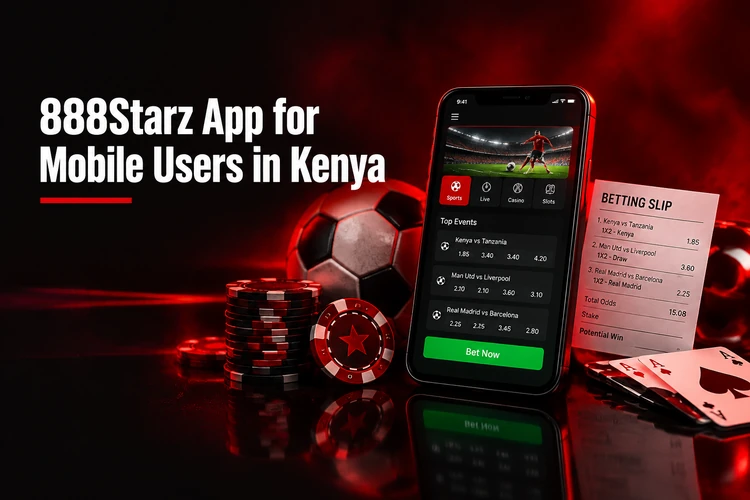
The app installs an icon on your home screen and can be opened without first launching a browser. The mobile website works in Safari, Chrome or another browser and needs no installation. Before using any offer, read its displayed terms and conditions carefully.
Android users can follow the step-by-step APK installation. iPhone users can open the mobile site in Safari and add a home screen shortcut. Both routes give access to the same sports and casino features.
How to Download 888Starz APK on Android
Android installation uses an APK file. Start from the 888Starz website on your phone and choose the Android download option rather than relying on an unknown third-party file source.
- Step 1: Open the website on your Android device.
- Step 2: Find the Android download option.
- Step 3: Download the APK file and wait for it to finish.
- Step 4: Open the file from your notifications or file manager.
- Step 5: Allow installation from that source if Android requests permission.
- Step 6: Confirm the installation, then open the app and log in.
Android may ask for permission to install apps from the browser or file manager you used. Grant permission only for that specific source; there is no need to turn off wider device security settings.
888Starz App Download and Installation Requirements
Before installing, check that your connection is stable, your device has free storage and Android is reasonably up to date. An interrupted download or an older operating system can prevent an APK from opening correctly.
Check the file name and page address before opening the download. Avoid modified files and delete any partial download before trying again.
Android users install from an APK file that places an icon on the home screen. iPhone users open the mobile site in Safari and can add a shortcut without installation.
Use the official website to download the APK rather than third-party files. Check the file name and page address before opening to avoid modified or incomplete downloads.
The mobile app opens directly without launching a browser first. The mobile website works in any browser and applies updates automatically without requiring a new file download.
Check that your device has free storage and a stable connection before starting. An interrupted download or older operating system can prevent the APK from opening correctly.
888Starz for iPhone and iOS
On iPhone, open the 888Starz mobile website in Safari or another browser and sign in to your account. This avoids making assumptions about the availability of a separate native iOS app.
For quicker access in Safari, use the Share button and select “Add to Home Screen”. The resulting icon opens the mobile site directly. Do not save passwords on a shared device.
How to Log In After Installing the 888Starz App
Open the app and select the login option. Enter the registered phone number, email address or other identifier supported by your account, then enter your password. If you do not yet have an account, you can complete registration before signing in.
888Starz App vs Mobile Website
The two options offer different ways to reach the same service. The mobile website is useful when you do not want to use device storage, while the app can be easier to open regularly.
| Feature | App | Mobile website |
|---|---|---|
| Installation | Required | Not required |
| Browser needed | No | Yes |
| Updates | May require installation | Applied on the site |
| Storage | Uses device storage | Minimal |
Choose based on how you use your phone. The browser option is also a practical fallback if an APK cannot be installed.
I found the game categories easy to follow, and the search helped me get to the type of title I wanted. It was useful to have more than one way to browse.
The lobby made it simple to compare slots with table games before settling on a format. I also checked the game information before starting.
I liked being able to browse on my phone without a complicated setup. The categories gave me a clear starting point when I opened the site.
How to Update the 888Starz App
Check the same trusted source used for installation for a newer version. Download the update and install it over the existing app when prompted. Avoid uninstalling the current app unless the update instructions specifically require it.
888Starz APK Not Installing — Possible Solutions
First, check free storage and confirm that the download completed. Delete a partial file before downloading again. Then check whether installation permission is enabled for the browser or file manager that opened the APK.
If the problem continues, update Android if an update is available and retry with a stable connection. A corrupted or incompatible file should be removed rather than repeatedly opened.
Is the 888Starz Download Safe?
Safety depends largely on the source of the file. Check the page address, avoid altered APK files and never give your password to another person. Keeping your device software current can also reduce avoidable security risks.
Open the lobby and browse the available game formats at your own pace. Check the relevant information and terms before you play.
FAQ
Android users can install the app through the APK download option on the website. On iPhone, the mobile website can be used in Safari or another browser.
Open the website on an Android phone, select the Android download option, wait for the file to finish, then open it and follow the system installation prompts.
iPhone users can access the service through the mobile website. In Safari, you can add the site to the Home Screen for quicker access.
Common causes are low storage, an incomplete download, blocked installation permission, a corrupted file or an outdated Android version.
Yes. The mobile website works in a smartphone browser and does not require installation.
Check the trusted download source for a newer file, then install it over the existing app. Do not remove the current app unless instructed to do so.